Invoice with confidence
Use your invoice template, automatic project prefixes and consecutive document numbers. Save PDF immediately and send it by e-mail from the app.
OpsNest brings invoices, incoming bills, payments, VAT and project profit into one clear Windows workspace. Built for construction and service teams that need to know the numbers before the month ends.
 OpsNest
Open a project and see its full story: money invoiced, money collected, VAT, direct costs and the result.
Use your invoice template, automatic project prefixes and consecutive document numbers. Save PDF immediately and send it by e-mail from the app.
Capture incoming bills, subcontractor costs, material, wages and other expenses. Import a PDF, review the detected values and save it to the right project.
Every project dashboard combines revenue, payment status, VAT, costs, profit and supporting documents without forcing you into complicated accounting screens.
See projects, financial results and bank-payment matching in one practical Windows workspace.
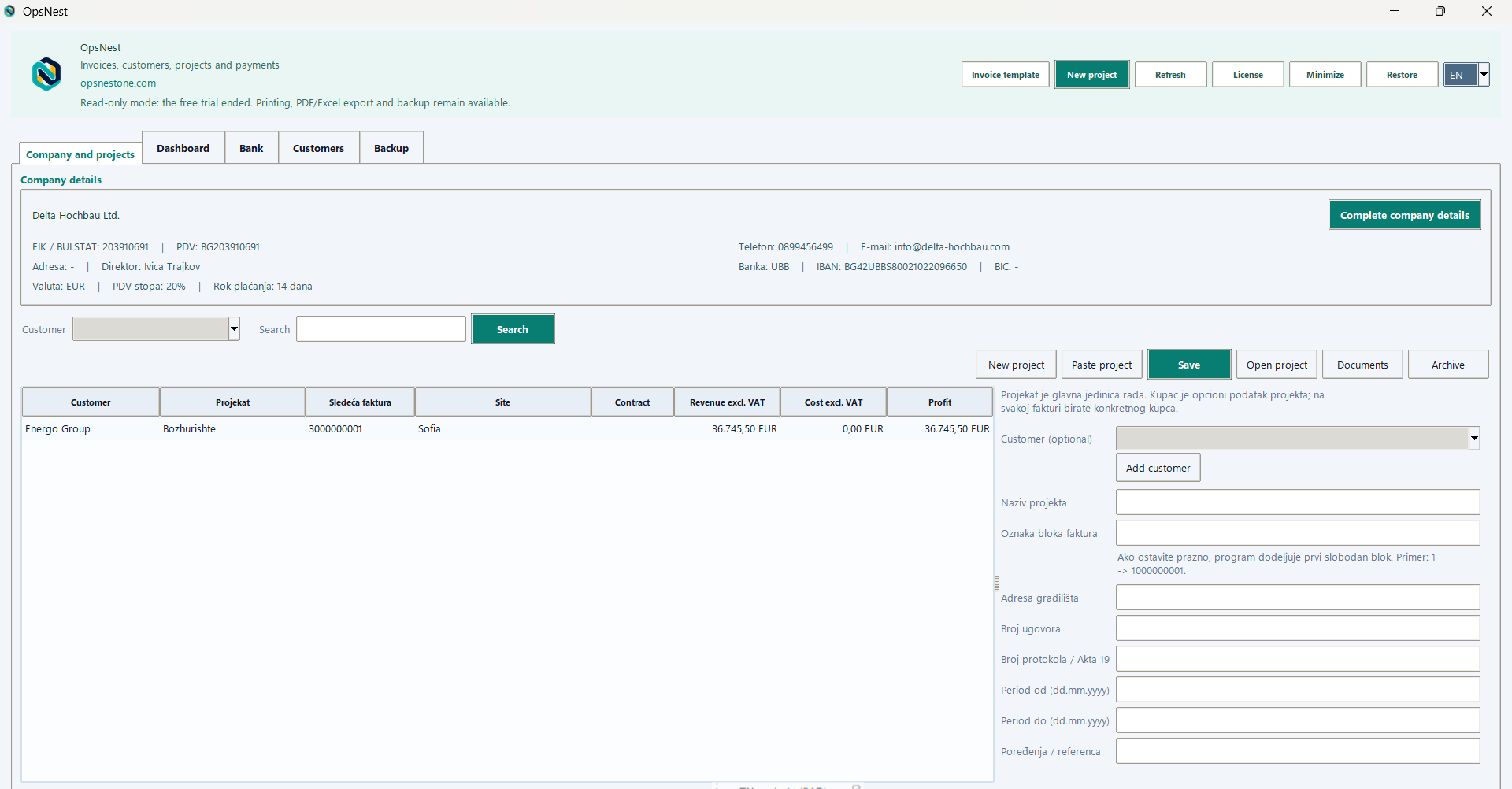
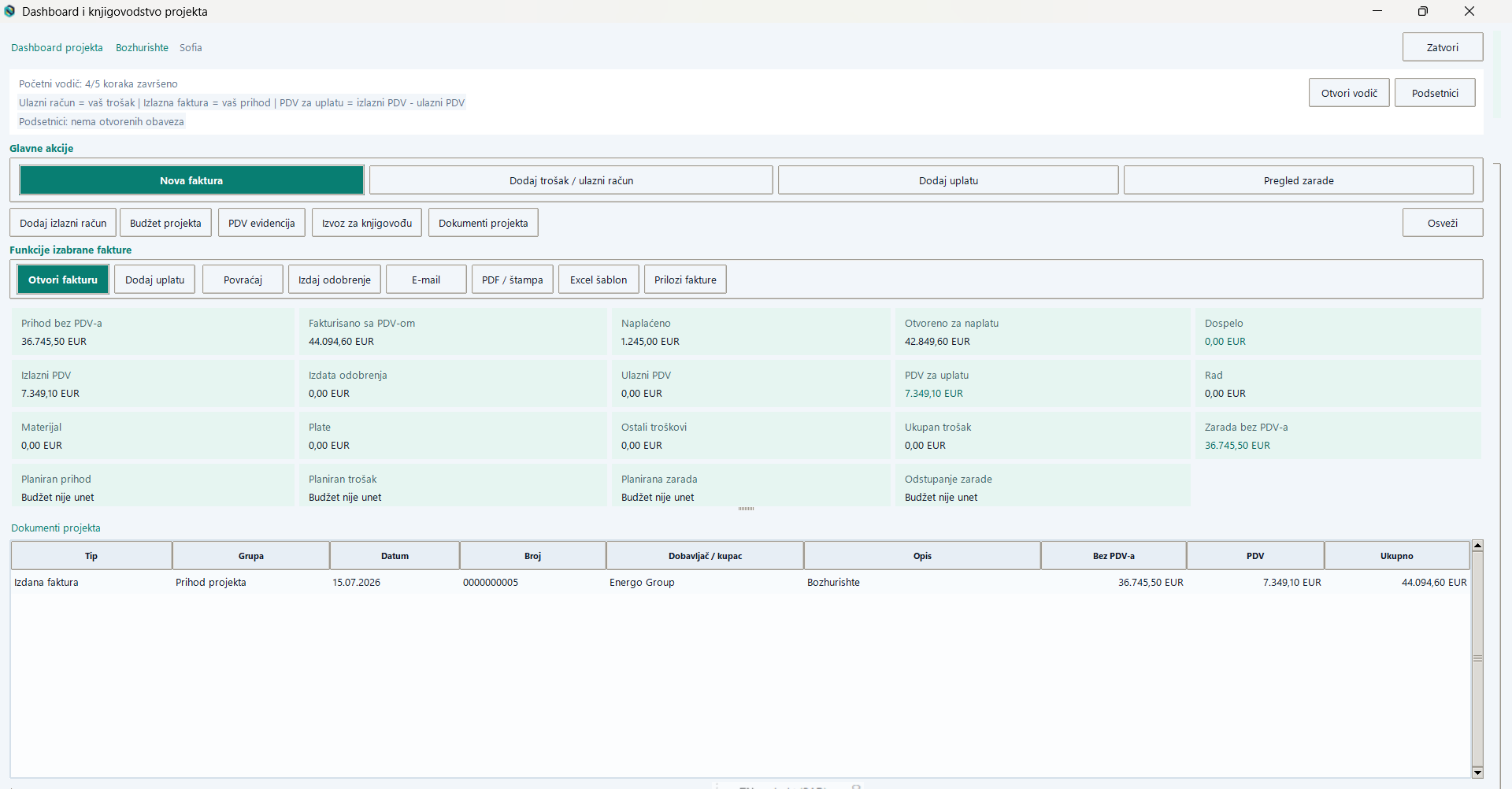
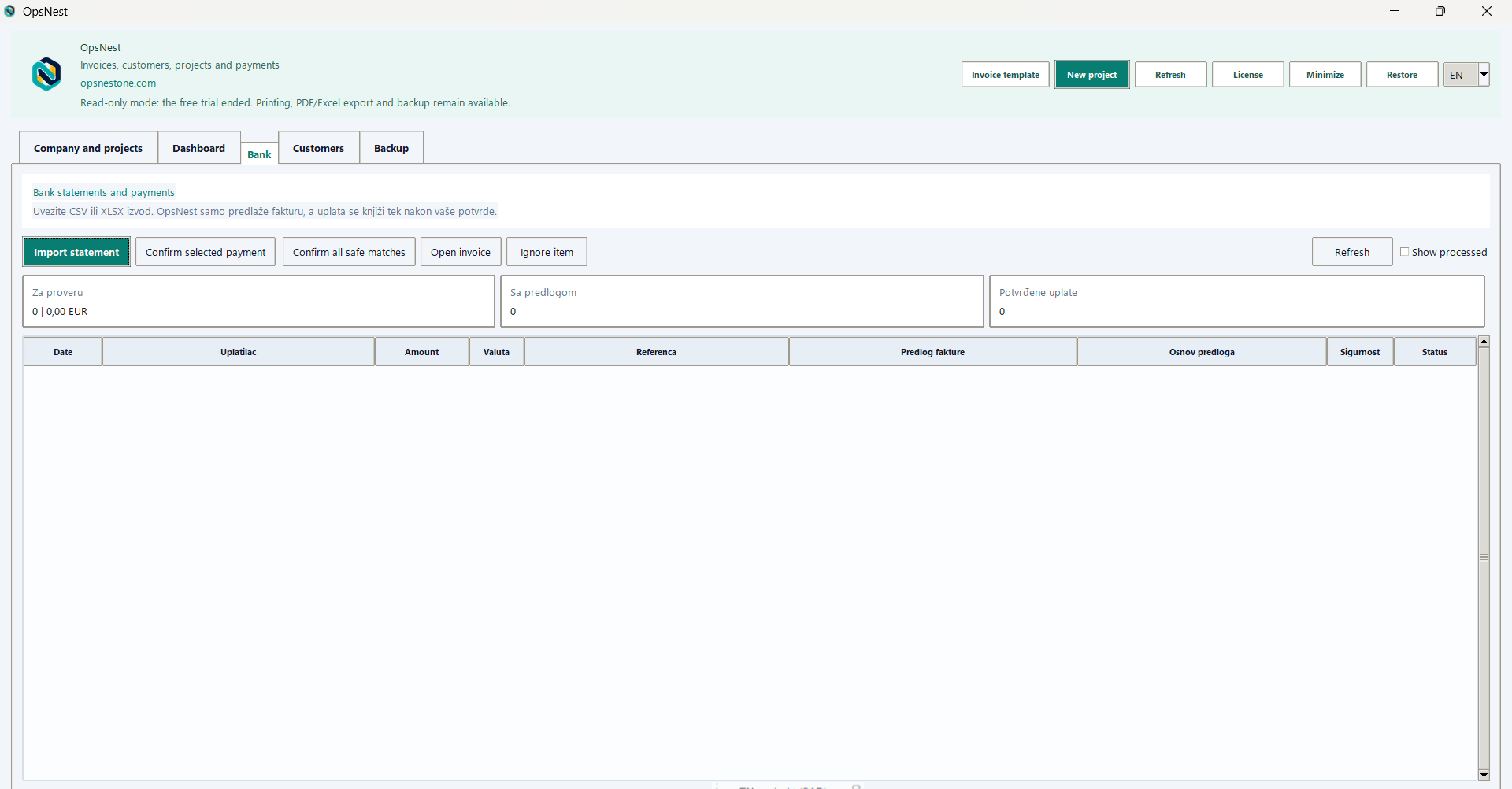
The screens use representative demo data. Click any image to inspect it in full size.
Download the Windows installer, enter your company details and select the country that sets your default VAT rate.
Add a project, choose the invoice block and add customers only where they are needed on a specific invoice.
Issue invoices, import PDF bills, match payments and export a clear record for your accountant when you need it.
Local accounting data remains on the Windows computer. Business and Pro add secure central team accounts so the owner can invite colleagues and control access by role.
Compare team packagesEvery new company gets seven days of Pro features. No card is needed to begin.
The seven-day trial starts as soon as a new company completes registration in OpsNest. E-mail verification securely connects billing and support, but it does not delay the start of the trial.
Invoices, projects and attachments are stored locally in your Windows data folder. Team synchronization is an optional Business and Pro feature.
Open Plans and billing in the app, choose a package and continue to secure PayPal checkout. You can manage or cancel recurring billing from the same area.
Yes. Business and Pro include a dedicated accountant role and an export that brings project invoices, costs, payments and VAT records together for a selected period.